Transcribe audio and video
Import recordings you own or have permission to process. You can also paste a share link; source-platform restrictions may affect access.
 V2Text简体中文
ANDROID · AUDIO & VIDEO TO TEXT
Turn audio and video into searchable transcripts. Listen back, edit the text, and export a document or timestamped subtitles for your next step.
Get it on Google PlayFree download · Transcription credits required · English & Chinese interface
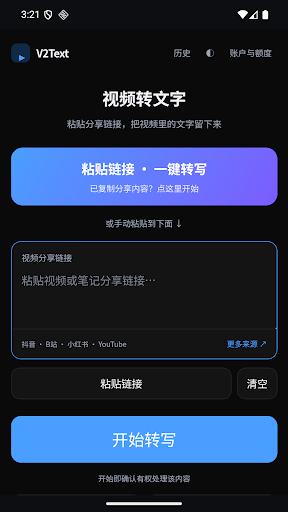
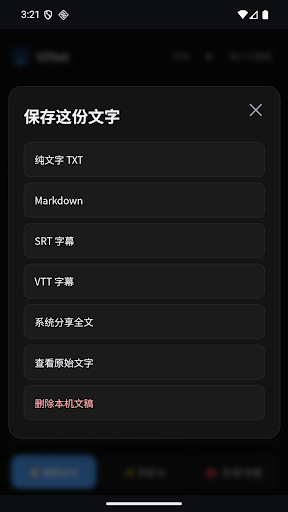
Actual Android screens, shown in Chinese.
Import recordings you own or have permission to process. You can also paste a share link; source-platform restrictions may affect access.
Search the full transcript. Use timestamps to replay a passage when source audio is available. Keep your edited text alongside the original.
Copy or share the full text. Export TXT documents or SRT and VTT subtitles, then continue in your preferred writing, subtitle or AI tool.
Choose a local audio or video file, or paste an accessible share link. Only use material you own or have permission to process.
Submit while online and follow processing progress. Review names, numbers and specialist terms against the original recording.
Move the transcript into your notes, or export timestamped SRT or VTT subtitles for further editing.
Lectures and lessons: turn authorized recordings into searchable text. Interviews and voice notes: listen, edit and pull out useful passages. Video work: export a transcript or subtitle file before continuing your edit.
The app is free to download. Audio and video transcription uses credits. Buy a minute pack or choose a monthly subscription in the app; Google Play shows the final price and terms before purchase.
Yes. The Android app supports English and Simplified Chinese. The screenshots here show the Chinese interface.
No. Availability depends on the source platform, the content, sign-in requirements and regional restrictions. You can instead import an existing media or subtitle file that you have the right to process.
Automatic transcripts may contain errors. Noise, pronunciation and recording quality affect results. Check important material against the source audio; no unmeasured accuracy rate is promised.
Your Google account may still be enrolled in the internal test. New users can use the public listing. Existing testers should leave the test program; export important device-only transcripts before uninstalling.